![PixelForge - 3D Icon Studio [Roblox]](https://img.itch.zone/aW1nLzI4NDc1ODM0LnBuZw==/original/7NtNsm.png)
PixelForge - 3D Icon Studio [Roblox]
A downloadable plugin
Turn any Roblox model into a clean, transparent icon without leaving Studio.
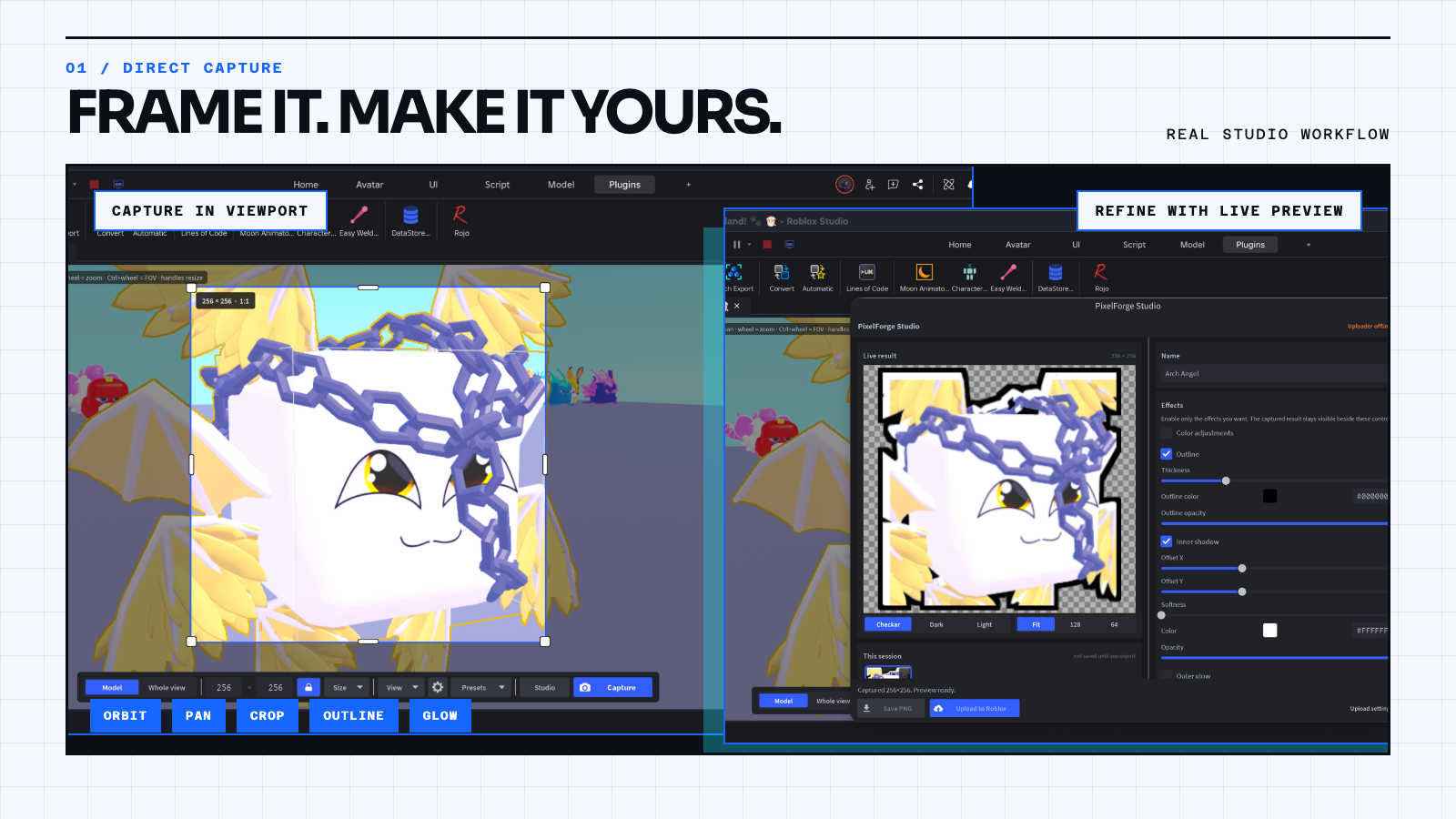
Frame it in the viewport, click Capture, and get a real per-pixel cutout with no halo, from 16 to 4096 px. Style it, see it inside your own game UI, then do the whole set at once and save or upload it in one flow.
Frame → Capture → Use it in your game. One model or a whole catalog.
🎯 Why the itch.io edition
- Direct upload from Studio. Send icons straight to your Roblox account with no Uploader and no API key (uses Studio's "CreateAssetAsync Luau API" beta; otherwise uploads go through the Uploader as usual).
- Everything in PixelForge, the same plugin as the Creator Store version.
- Free updates from this page.
✨ Capture and refine
- Frame any subject. Orbit, pan, zoom, crop, FOV and roll on any Model, Part or MeshPart. Auto Fit centres on the model's real shape at any angle.
- Real transparency. A per-pixel cutout, not one background color removed, so edges stay clean on hair, glass, particles and Neon. Keep Bloom and glow in the icon when you want it.
- Pose your rigs. Pick any animation and capture the rig mid-pose, with frame stepping and a scrubber.
- Styles and effects. Sketch, Cel shade, Pixel art, Silhouette, Halftone and Duotone, plus color, outline, glow and shadows, all with a live preview. Effects never clip at the edges.
- Preview in my UI. Select a hotbar slot, a shop card or a whole grid and see your icons inside it before you export.
- Find the best shot. Capture several angles into a filmstrip, compare them, and keep the one you like.
- Whole view for scenes, builds, dioramas and thumbnails.
⚡ Make complete icon sets
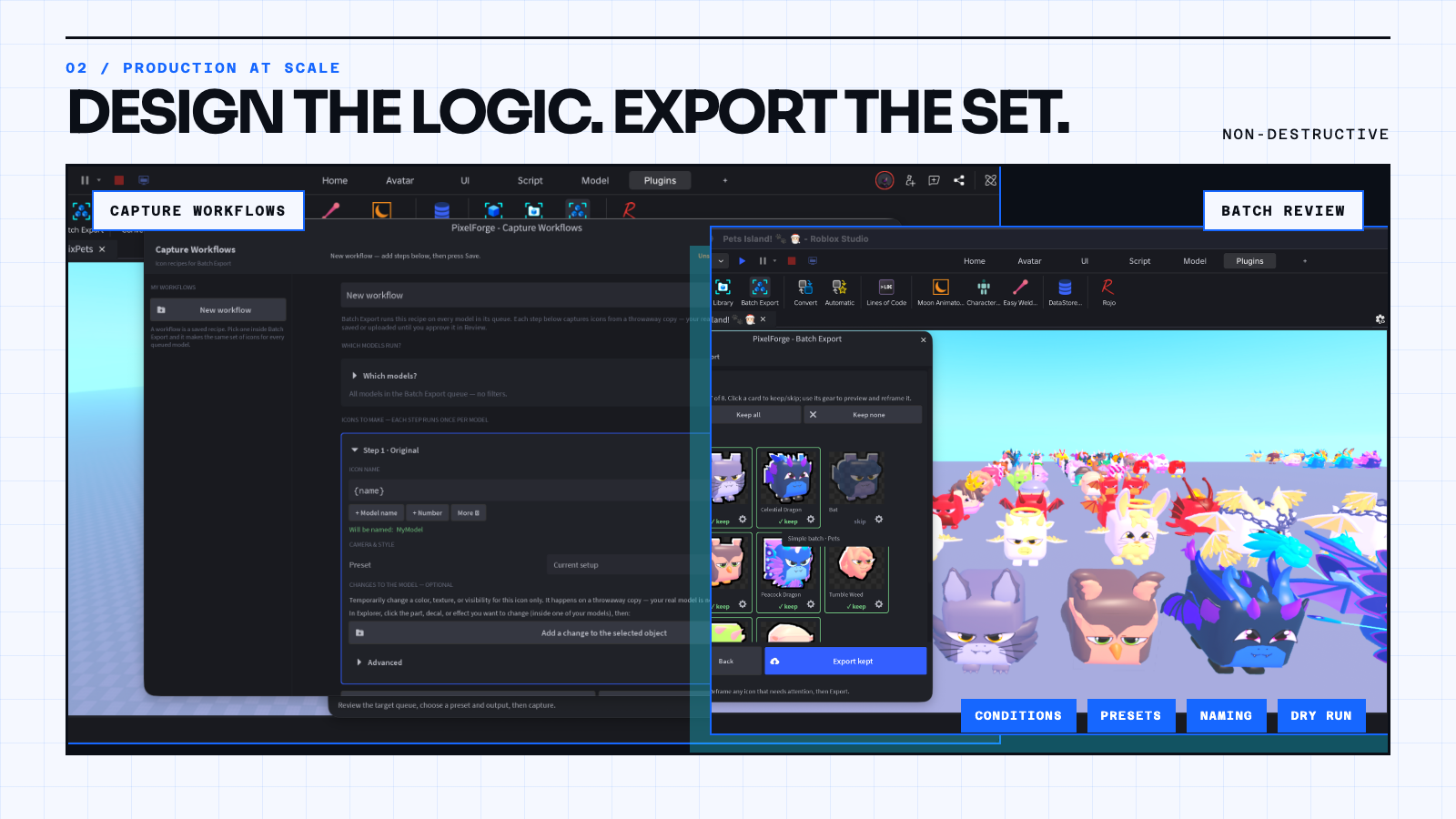
- Batch Export. Capture a whole folder or selection, review every icon, give any of them their own effects, preview the set in your UI, and export only the keepers.
- Capture Workflows. Reusable recipes for variants (Red, Blue, Gold...), presets, conditions and naming, with a preview of the plan before anything is made.
- Presets. Save framing, size and effects once, so every icon in a project matches.
- Your models are safe. Workflows run on temporary copies; the originals are never modified.
📦 Save, upload, and organize
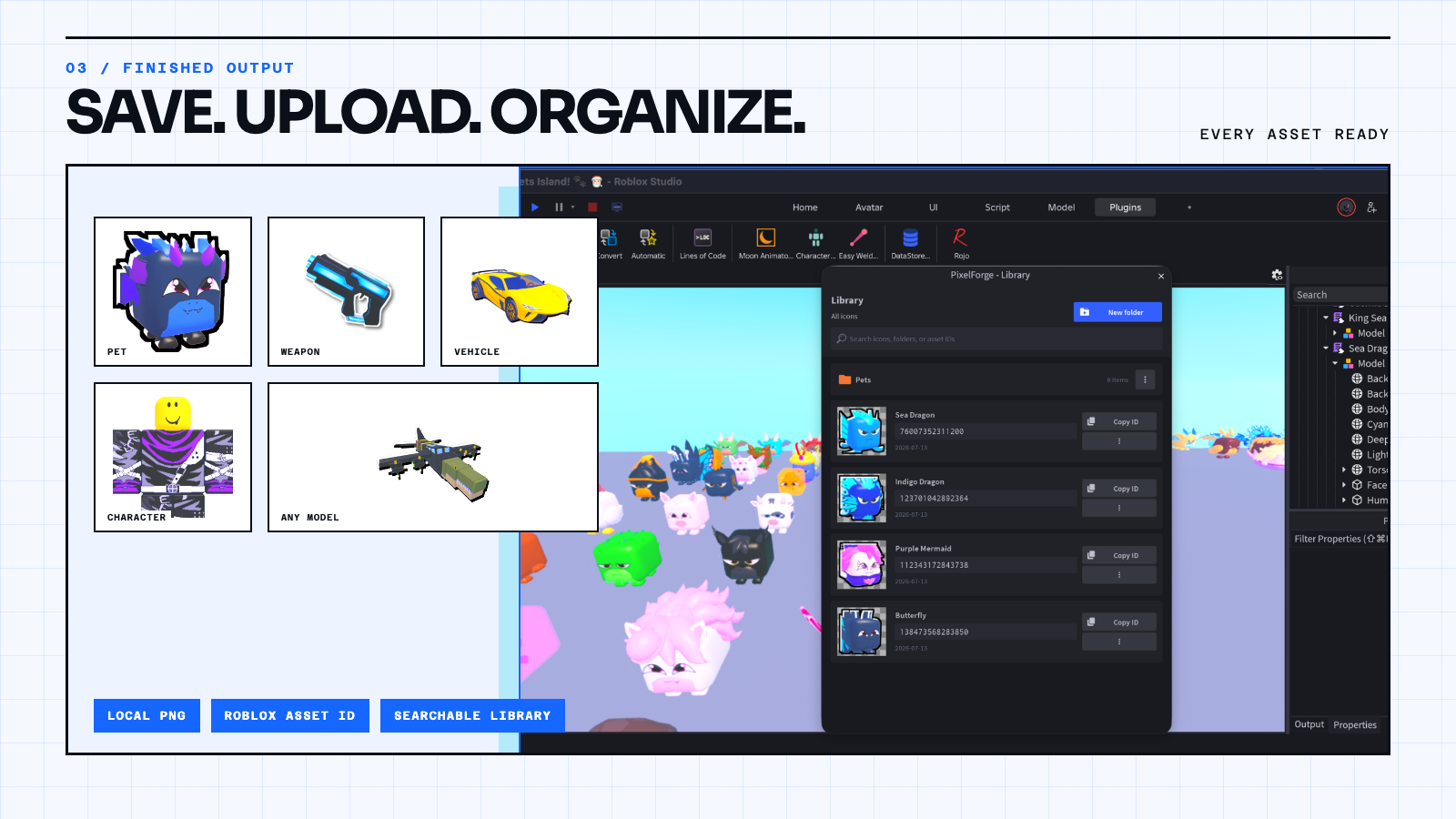
- Save transparent PNGs to your computer, into a folder per project.
- Upload to your Roblox account or group, and copy asset IDs without leaving Studio.
- Keep every upload in the searchable PixelForge Library, organized in folders.
🤖 New in 2.7: let your AI agent do it
Everything above can now be driven by Claude Code, Cursor, Codex or any MCP tool. Ask for "shop icons for all my pets, plus a Golden version of each", and it compares camera angles, captures the set on temporary copies, previews it in your shop UI, asks before uploading, and puts the image ids into your game.
- You stay in control: every action is Allow, Ask or Block, uploads ask first by default, and Stop ends it at any time.
- Optional: PixelForge works exactly the same without it.
🎬 Videos
Built for Roblox games
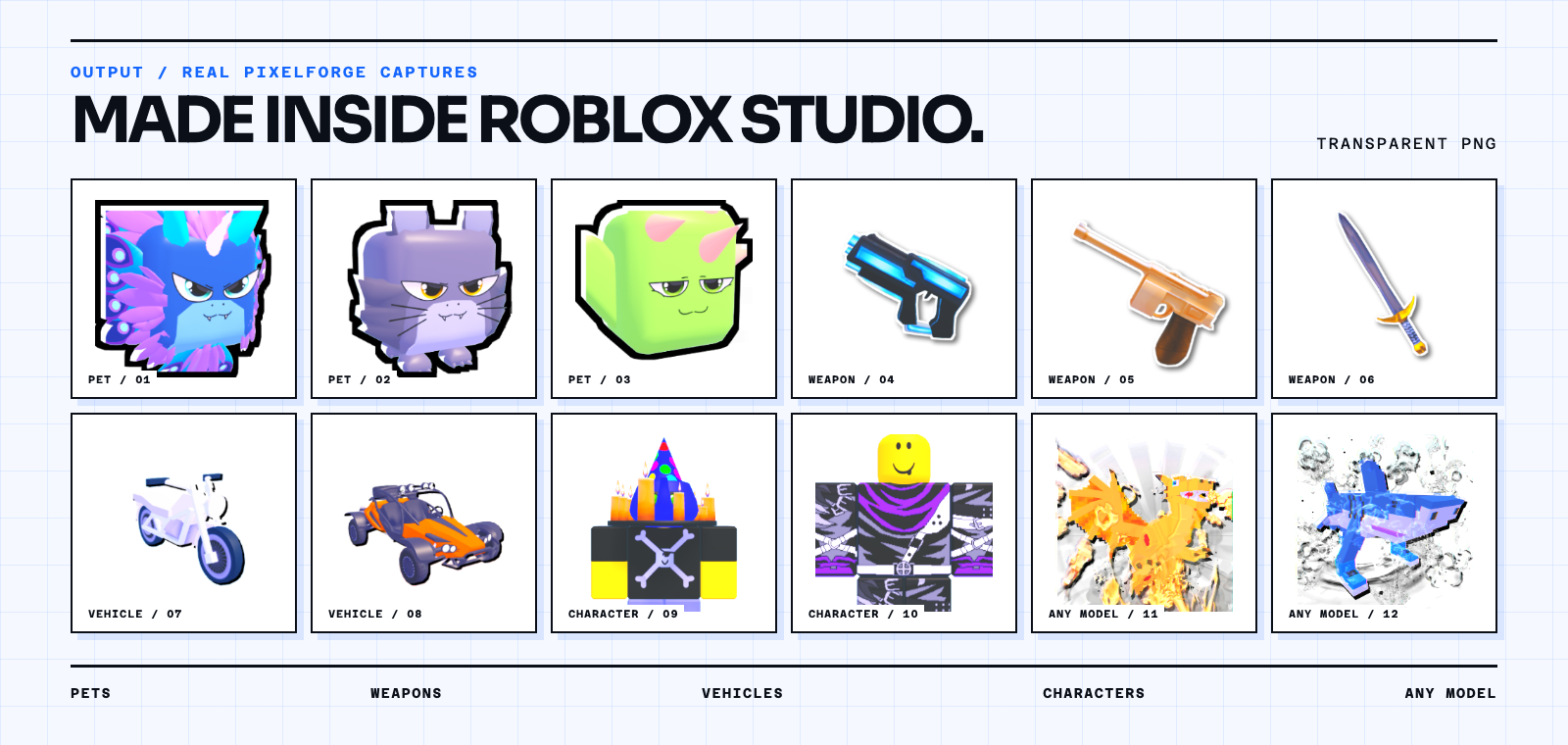
Inventory art, shop icons, pet collections, weapon tiers, vehicles, character portraits, UI assets, thumbnails and event variants: anywhere your game needs a consistent set, not one screenshot.
Requirements
- Roblox Studio on Windows or macOS.
- Saving PNGs (and uploading without Direct upload) uses the included PixelForge Uploader, a small local companion:
npx @rippersgames/pixelforge-uploader@latest(Node.js 18+). - Uploads through the Uploader need your own free Open Cloud API key. It stays on your computer, outside Studio.
- Optional, for AI agents: an MCP-capable tool such as Claude Code, Cursor or Codex.
What you get
- The PixelForge plugin (itch.io edition, with Direct upload).
- The PixelForge Uploader and an install guide (
INSTALL.txt). - Free updates from this page.
Install
- Download
PixelForge.rbxmx. - In Studio: Plugins → Plugins Folder, drop the file in, and restart Studio.
- Updating? Replace the old file with the new one.
Questions or a bug? The ⋯ menu in PixelForge Studio has Help & quick fixes, or reach me on Discord: @juztripper.
Purchase
In order to download this plugin you must purchase it at or above the minimum price of $7.99 USD. You will get access to the following files:
Development log
- PixelForge v2.2.0 — Exact Auto Fit, Better Capture Control76 days ago
- PixelForge v2.0.0 is here: Capture. Refine. Ship.92 days ago
- PixelForge v1.7.0: cleaner cutouts and spin-to-frameJun 23, 2026
- v1.6.0: Whole view capture + sharper effectsMay 29, 2026
- v1.5.0: Batch ExportMay 25, 2026